
Sample AceSense Post-Match Report
A canonical sample AceSense tennis report with real app screenshots, match summary, heatmap, shot list, stats, and Honest Gaps.
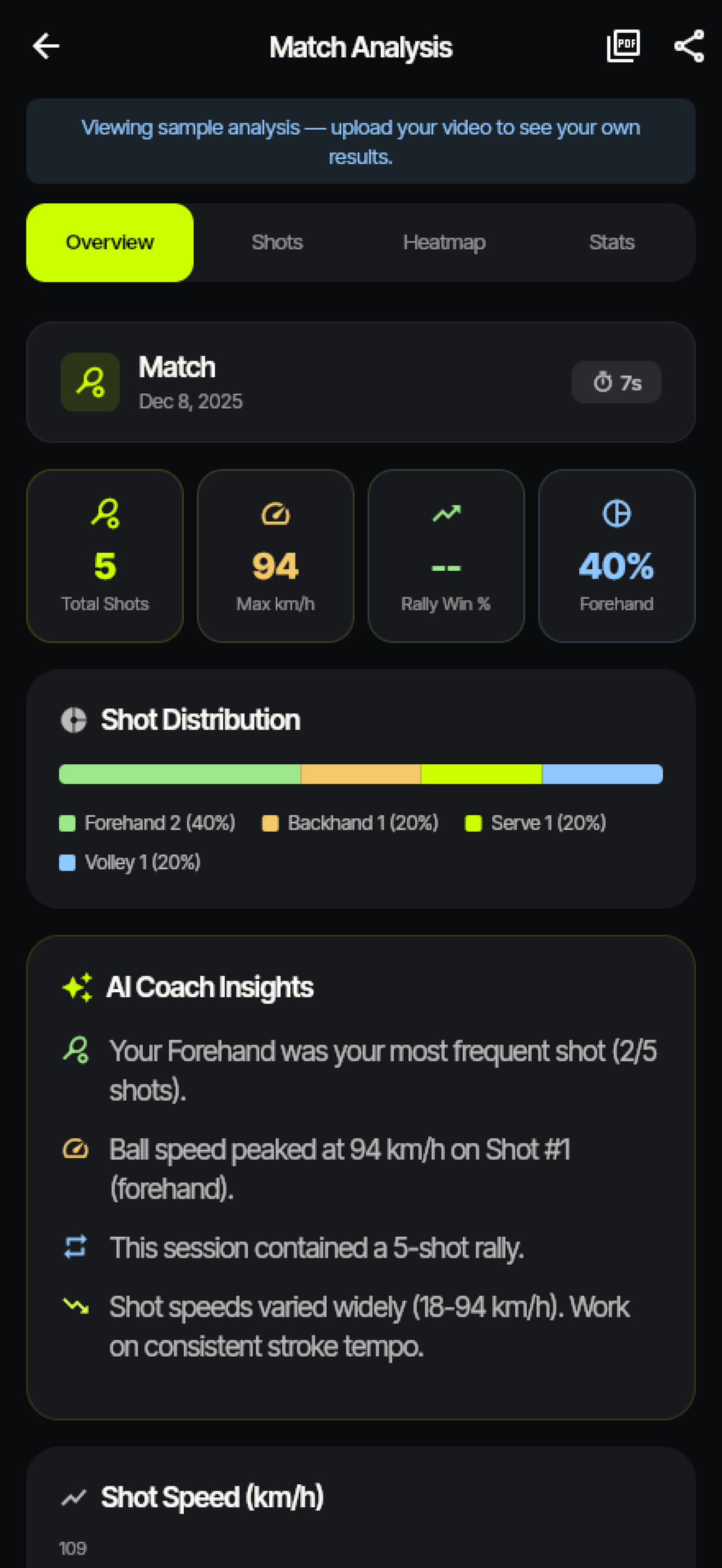
This is the canonical report example for AceSense: one phone-recorded tennis session goes in, and a post-match report comes out. The point is not to pretend the AI is a human coach. The point is to turn raw video into a useful review artifact you can read yourself or send to a coach before the next lesson.
Match Pass
Session: NTRP 3.5 singles, outdoor hard court, 42 minutes
Input: phone video at 1080p / 60fps, mounted behind the baseline
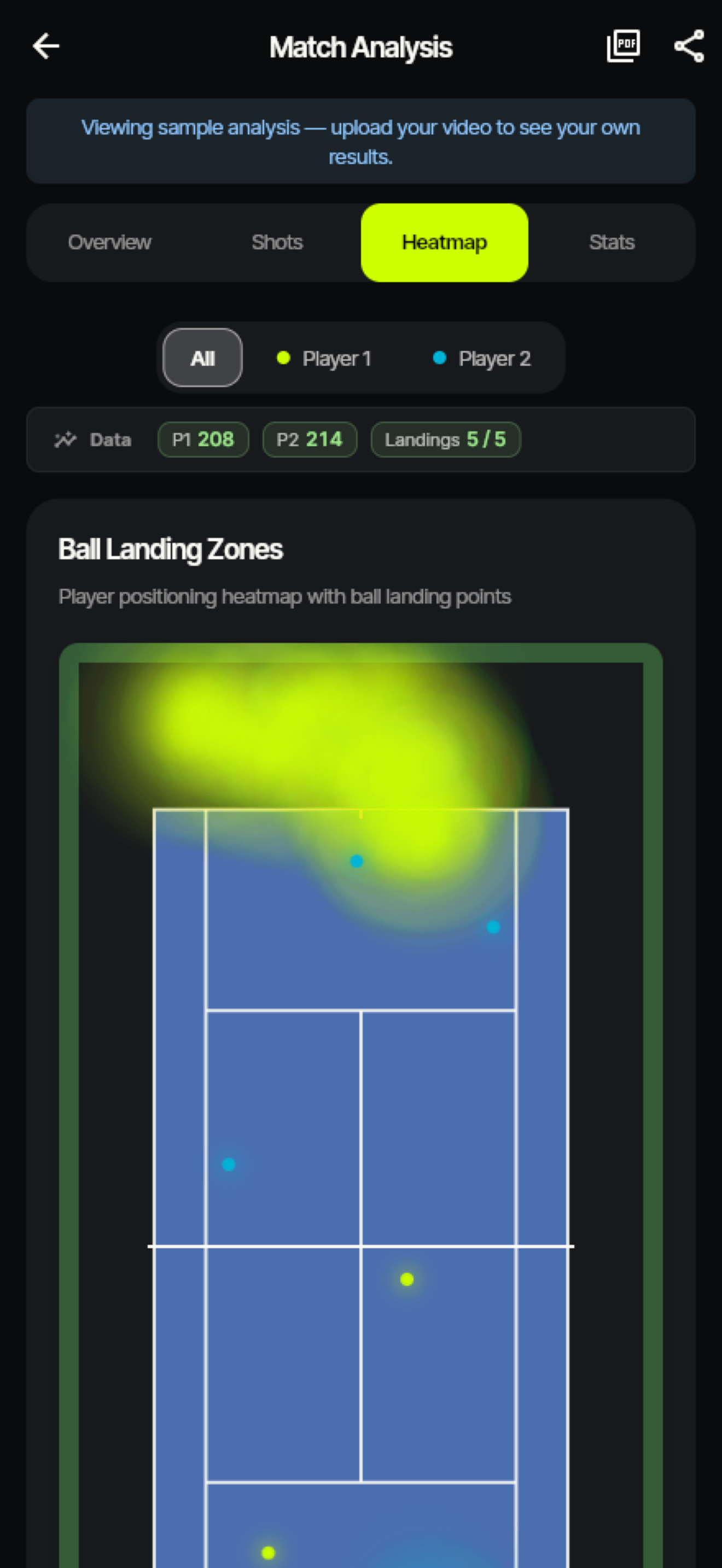
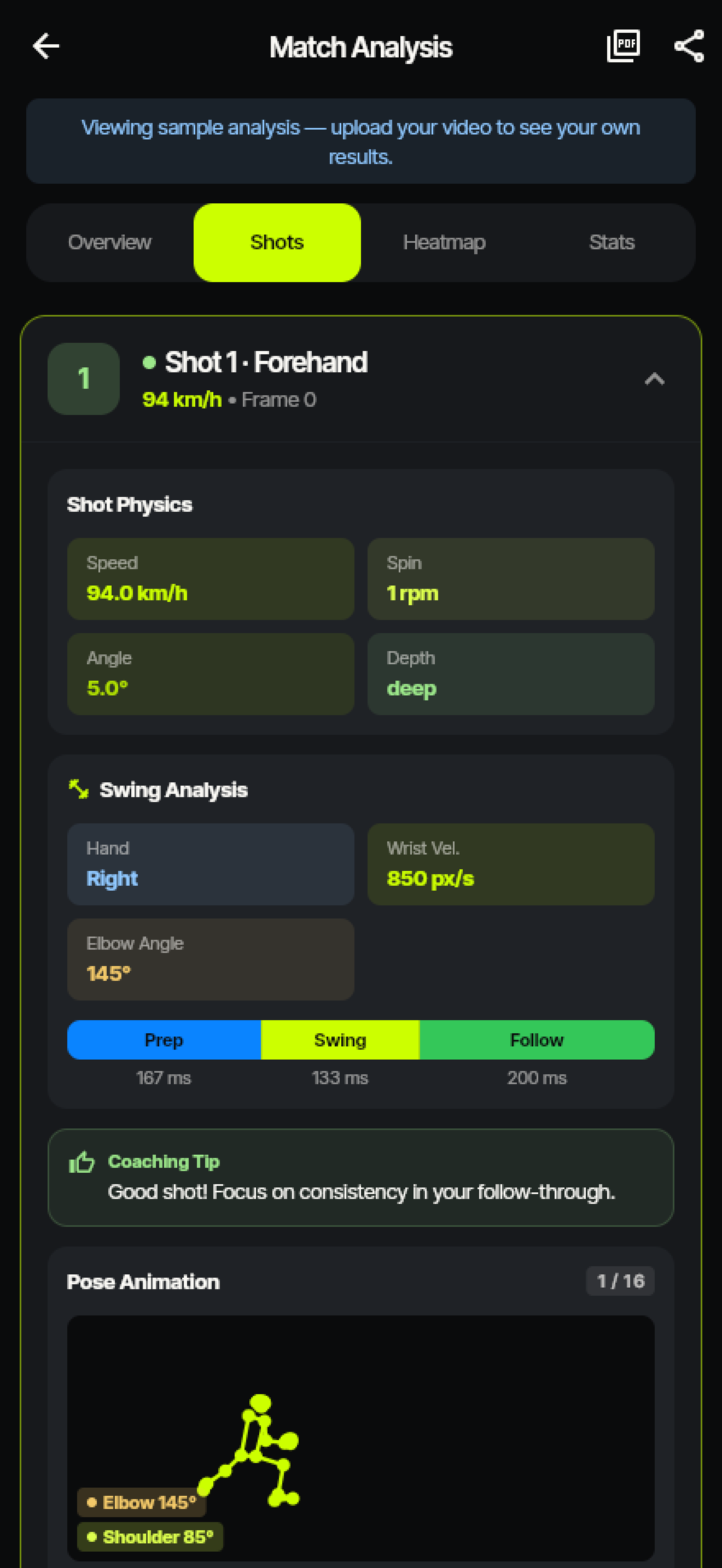
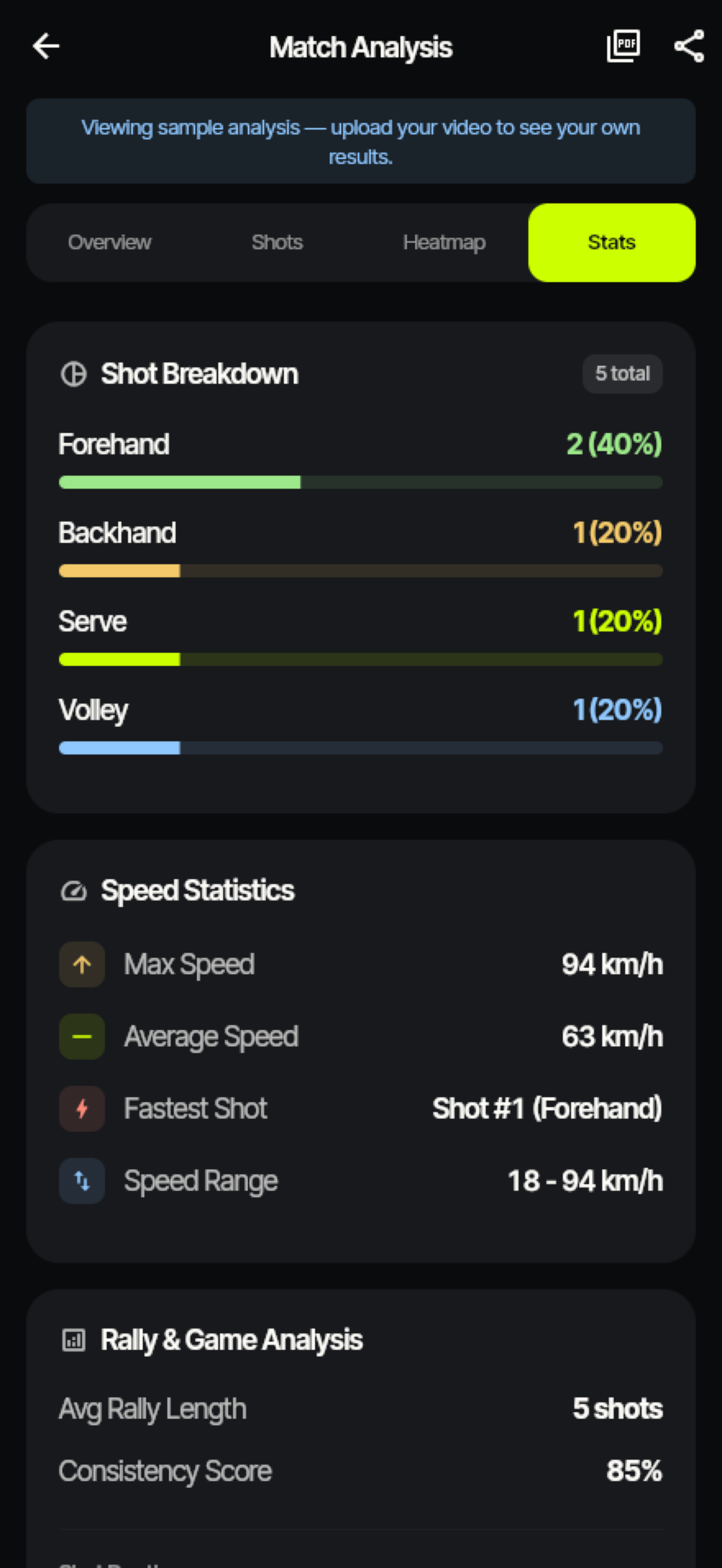
Output: shot mix, heatmap, stroke-quality notes, report summary, and Honest Gaps
What the report surfaced
| Section | Sample finding | Why it matters |
|---|---|---|
| Shot mix | Forehand 41%, backhand 31%, serve 22%, volley 6% | The player was running around the backhand under pressure instead of building a stable crosscourt pattern. |
| Heatmap | Short returns clustered inside the service line | Stroke quality was acceptable, but return depth was giving up court position. |
| Stroke quality | Forehand contact-point variance was the weakest component | The next practice focus becomes concrete: stabilize spacing before adding more racquet speed. |
| Summary | One headline fix, not ten generic tips | The report is designed for the next session, not for vanity metrics. |
Honest Gaps
AceSense should earn trust by naming what it could not measure. This sample report would show these caveats:
- Two rallies had partial ball-track loss because the ball crossed a bright background.
- Three net exchanges were excluded from stroke-quality scoring because the player was partially occluded.
- Serve-speed estimates were shown as directional because the camera angle was slightly off-center.
- One possible bounce was flagged as an artifact and removed from the heatmap.
These notes are not footnotes. They are part of the product promise: if a section is low-confidence, the report says so.
Read next: How to film your tennis match · SwingVision Android alternative · Tennis video analysis app for Android · Accuracy methodology
Frequently asked questions
- Is this a real AceSense report?
- The screenshots are real AceSense app screens. The player and match values on this page are sample values written to show the report structure without exposing private beta-player footage.
- What are Honest Gaps?
- Honest Gaps are the low-confidence or unmeasured parts of a session: unclear ball tracks, occluded strokes, questionable bounces, or setup problems. AceSense shows those caveats inside the report instead of hiding them.